Sunday, 22 August 2010

Solidwork developments


abves y firt trialseeeeeebly wiiiiiiiiiiasme art desghned in solorksTHIWI CME Y EBAL MSCH FORRYYNIAAICCF

and now with new batteries in my keyboard...

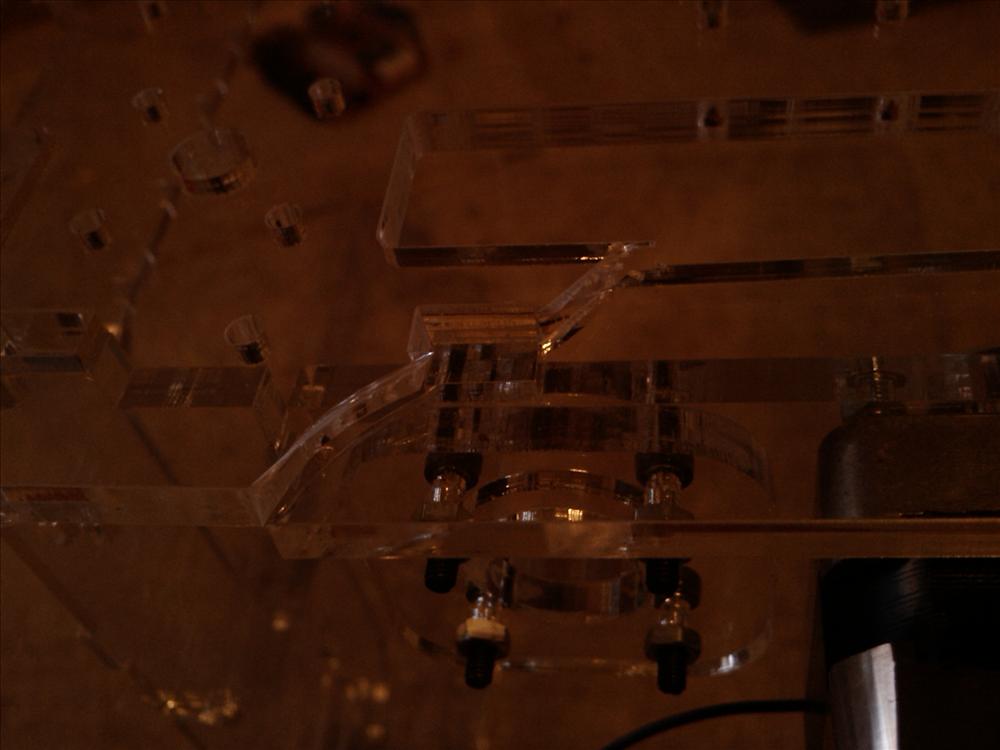
Above is my first trial assembly which contasins several parts i designed in solidworks. This will form the eye mech for my animatronic head.

Thursday, 29 July 2010

Animatronic Skin and Teeth

I recently bought some Platsil Gel10 to make robotic skin from www.dauphines.co.uk they did a good price, and also sell plastic human eyes aswell - something cheap and chearfull that i could use on my larger heads.

I bought 2kg tubs of the stuff, as well as skin pigment for the silicone. that and 2 eyes came to £61.20 plus £7 postage.

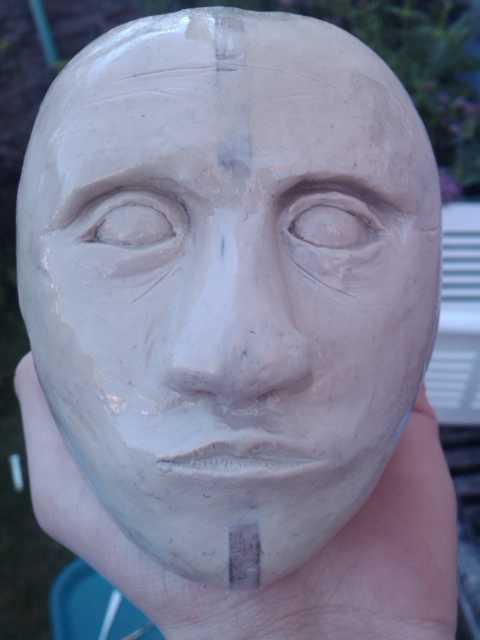
The sculpture i made was of a human head whichj is about 11-12 cm tall

here you can see the small ears i made - these are about 3cm tall.
I started off with 2 inmages from google - a portrait and a side view of a male, i resized both to the same size and then used these to cut out a wooden template. The clay was then sculpted around these 2 pieces to form the smape of the head.

this is a close-up of one of the ears. I am pleased ith this one. I didnt use any references but just feeling my own ears.
Sadly, copying this ear pattern to the other side was more difficult than I thought it would be.


This is the final head with its acrylic coating. I should have spent more time smoothing it down, but this being my first project to hopefully a good portfolio, i wanted to just get it done and see what it looked like.

i then made a mould of the glay head using fibreglass matt and sheet - using gelcoat (sadly not witht he catalyst) and built a 3 segmented mould




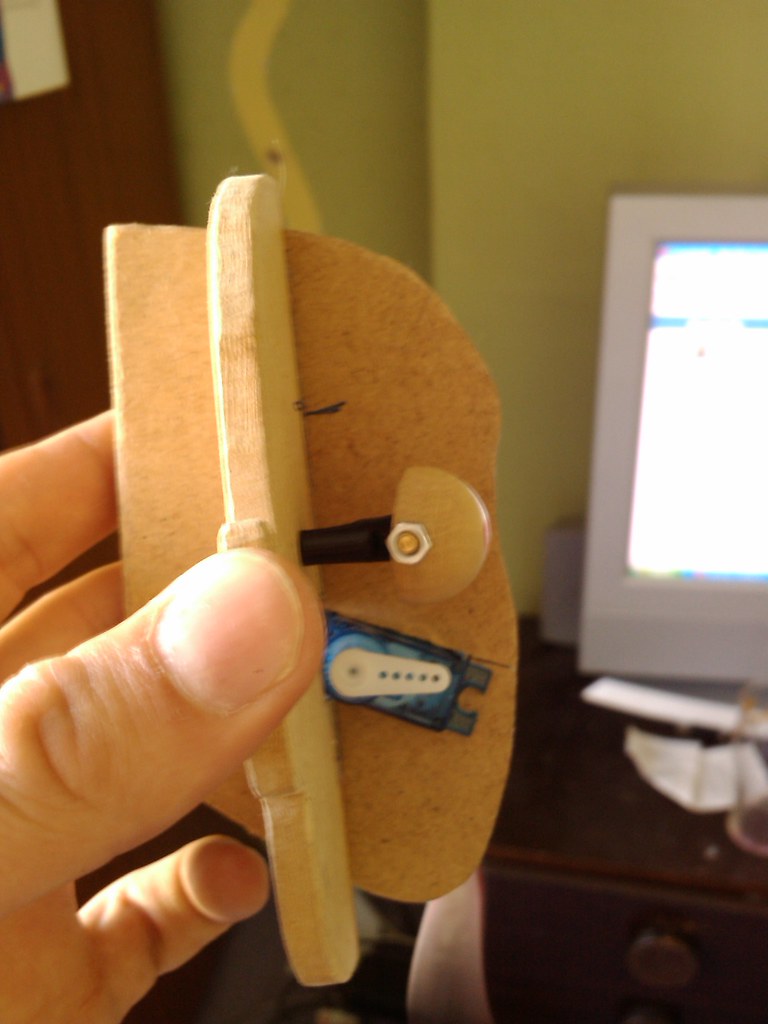
The next step was to make the eyes, for this i used 15cm wooden beads which i bought from the local bead-ery shop (lol)

I cut them just past half way, and hollowed out the insides of them, allowing me to fit in a ball joint (will need to change this as it allows full movem,ent not just movement in x and y.)


The servo will be mounted behind the eyes, and this is an ongoing task. - the servo seen in the picture is for the jaw.
The wooden shapes are taken from the ear-to-ear template i made for the sculpture.
The front to back piece was cut out using the rear of the mould used for the skin. This means that there is a small gap between the skin and this piece - to be made from aluminium at a later date.


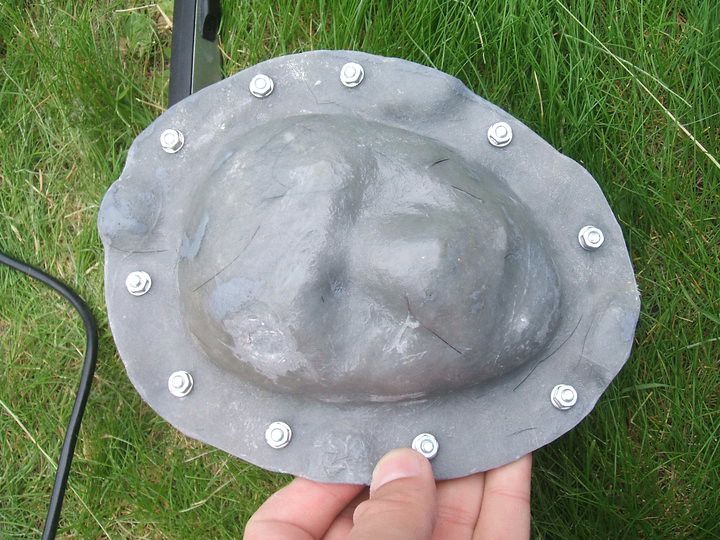
This is the outer skin, it is made by layering thin clay into the negative fibreglass mould, then a layer of fibreglass is layed ontop of this.
As i did the face seperate from the rest of the head - due to my 3 part mould i made (it doesnt go over a head so i adopted a different method to Daniele Tirinnanzi )
The inner mould was made which overlapped the edge, which means i can refit the inner mould to the existing keys from the front so that it all lines up correctly.
[image to come]
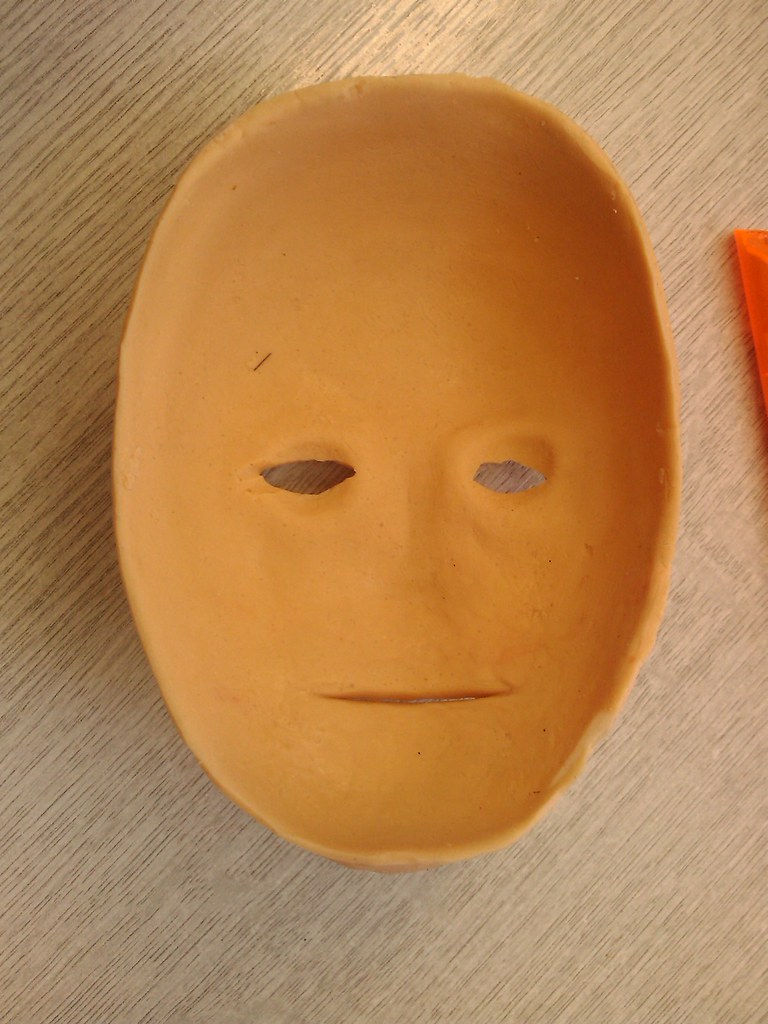

The rear of the skin shows the thickness and the nose which i filled in with the silicone to create a smooth base to fit onto the metal chasis inside when i finished it.


Now onto the teeth:

I purchased some dental acrylic from dentala2z which is actually used to repair dentures (if you know of better supplies, please let me know.)

This method uses powdered acrylic And a liquid (similar to acetone but smells much more potent) which melts and bonds the acrylic particles together. This creates an acrylic liquid which is pourable into the moulds.

I started off with a lump of clay, about 5mm thick, then added a bead of clay around the edge to form the teeth. The teeth were sculpted roughly – again this was my first attempt so I wanted a result, but these were actually good enough anyway. The gum lines were then sculpted into the base layer, and a silicone mould was made using platsil Gel10 (I ran out of standard silicone)

Pouring the acrylic liquid into the mould made castings of the teeth. I did this twice, then using a dremil I cut away the gum part of the casting to reveal just the white teeth.
Using food colouring, I made some more acrylic liquid and turned it red.
I placed the teeth into the mould, using a bit of petroleum jelly to seal the teeth and to stop the red acrylic sticking to parts of the teeth, I poured in the red solution.
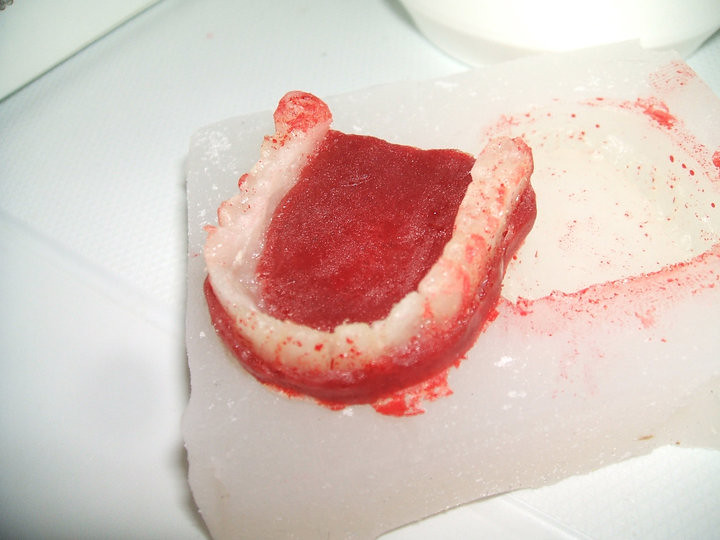

The red gum part is a bit dark, and it also spilled onto the teeth, but because of the petroleum jelly, this was easily cleaned off - tho some staining had occoured. Next time i will be using special gum coloured dental acrylic, sadly i thought i bought white and red coloured stuff, but i hadnt. I will not be using food colouring again and i dont really recomend it!

The final teeth:
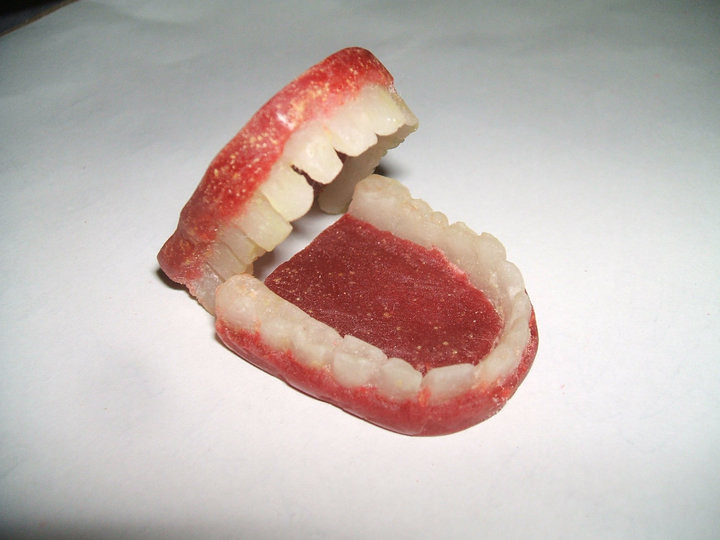

The teeth inside the skin (stretched over my hand)


So there we go, this is where i have got too.

thank you :)

nat :D

Saturday, 12 June 2010

fibre glass

i went to see my technician friend at uni, and managed to aquire a load of fiberglass stuff...

glass matt (stranded stuff - bout the weaved matt from ebay)
PVA release agent
Honey wax release agent
resin and catalyis
gelcoat

so later today, my friend Caz will be comming over to assist me with some fun fiberglassing!
Yay!!!

Monday, 10 May 2010

Aluminium!!!

Just been to the tech stores and managed to aquire some sheet aluminium and angle bar, rods for making my very own animatronic (im going to last longer than lego) head mech!

This will form part of my animatronic mask and eye/tail mech which i will cover in latex/silicone cover moulded from oil based clay!

Cant wait!

Wednesday, 5 May 2010

mk4 plastruder mod for those with issues??!!?!

javascript:void(0)
Well, actually i think i have pioneered a new mod for the plastruder!

After about a month of unsuccessful prints with my faulty plastruder, i finally took my dremel tool to it and modded it!

The issue i was having was that the idler wheel would let the filament slip sideways off of the edge, sitting nicely in the corner and failing to budge causing a faulty print.

One of the issues that originally caused this was that the 'lid' to my timing pulley which fits onto the plastruder motor came off - it fell off after about 3 days - and that was many months ago before makerbot 100 was shipped!

i needed something to stop the filament sliding off to the side and getting into the corner.
The pulley placed on the end of the motor shaft did stop this, but eventually the force of the filament trying to escape the jaws of the pulley teeth would push the bearing out. i needed a way to fix it so that this force could not push on the outside and free itself.

My idea....

well. as i originally said, my plastruder timing belt lid had come off... my idea was to dremel the rough end of the timing pulley (so the teeth were flush to the end) rotate it round, and instead of having the bearing on last, was to swap it round. The bearing would fit first onto the motor shaft, then the pulley - but rotated so the screw threads would tighten furthest away from the motor. The idea being, as the motor would force the filament down, it could not pus to the side as it would push against the thicker part of the timing pulley - which is fixed...... lest see a picture!


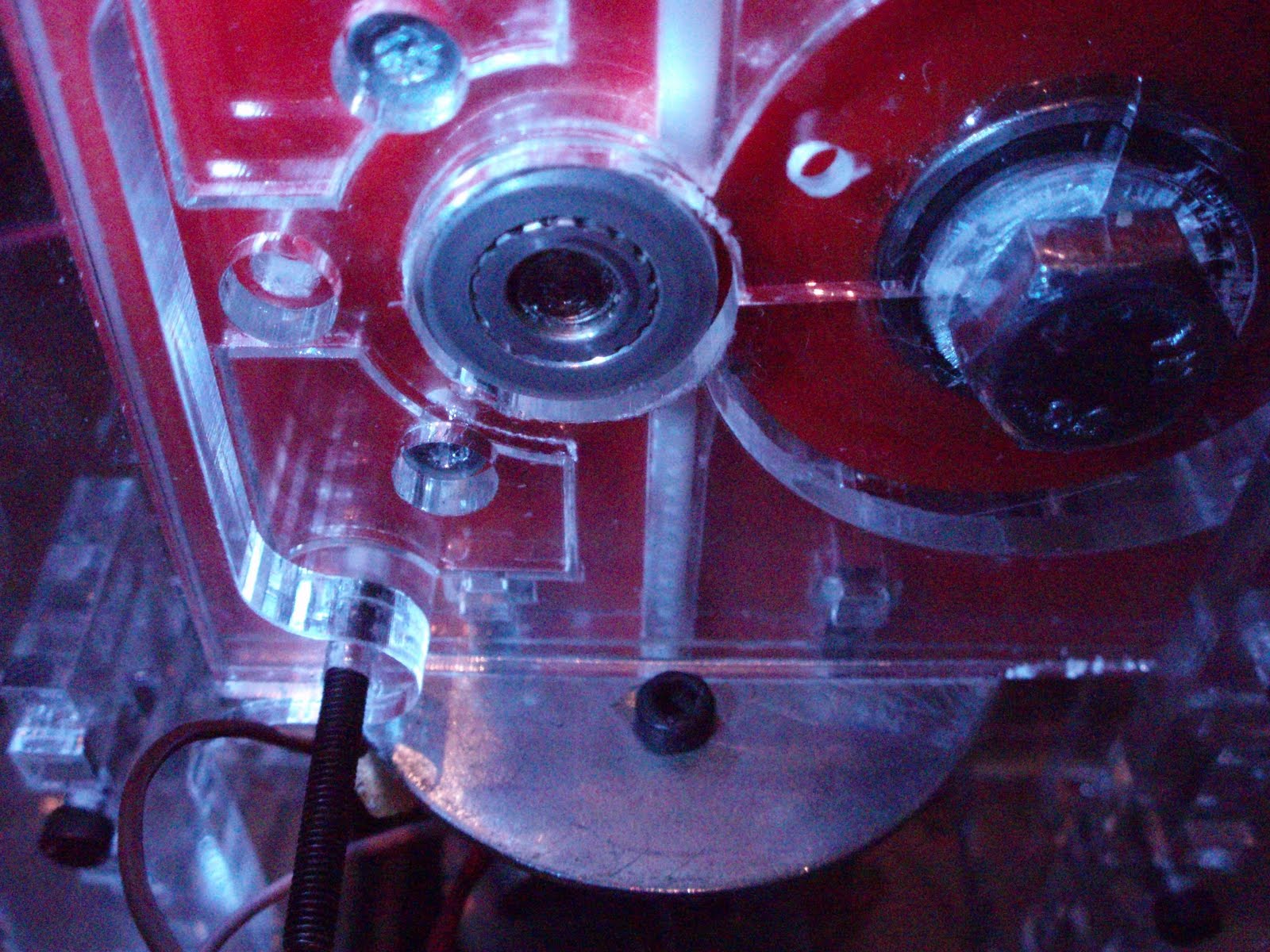
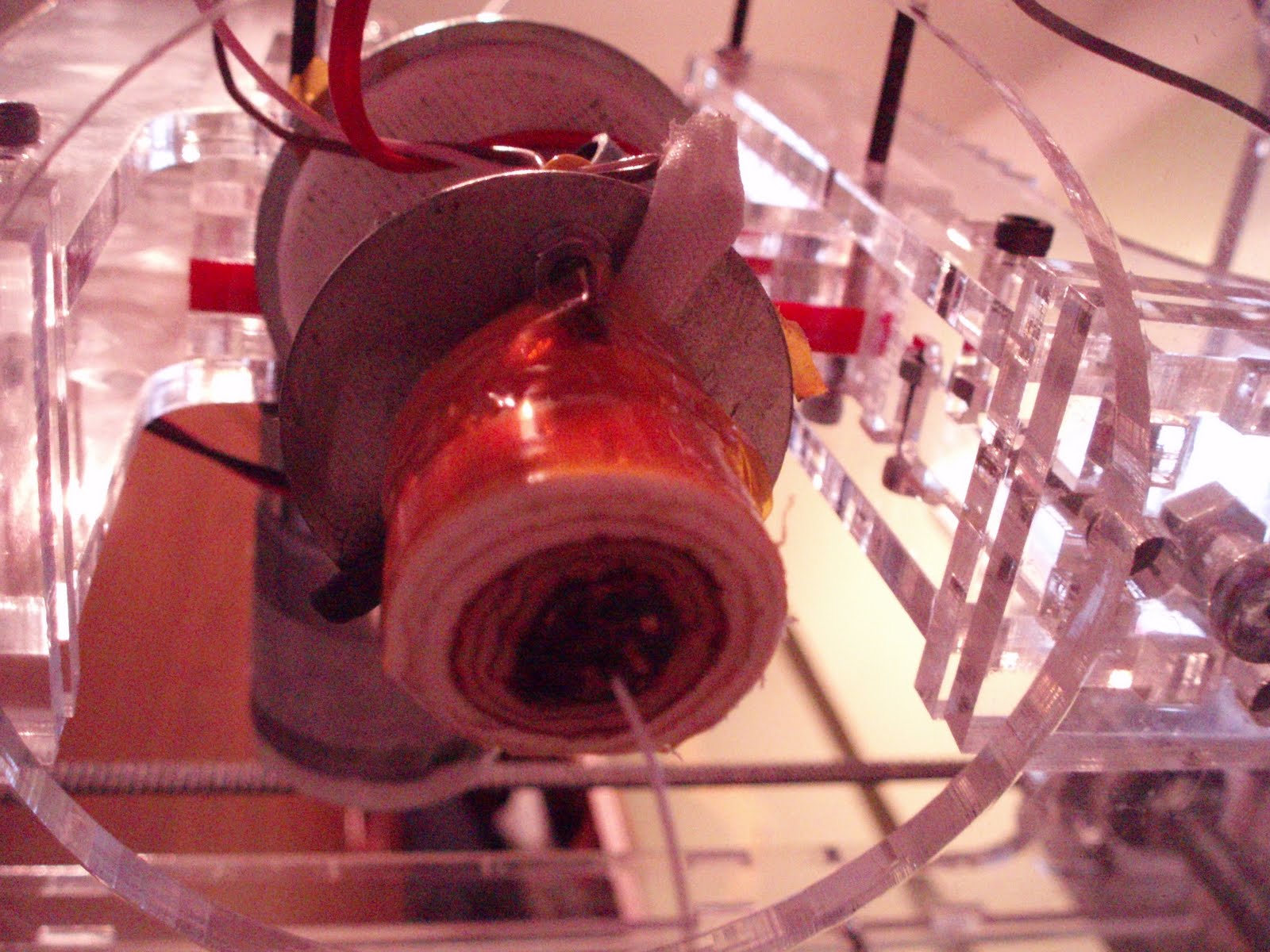
here is the old setup, the end of the timing pulley had come away.


The pulley is placed on first, then the timing pulley - note i have tidied the end of the timing pulley to provide a flush flat edge - see previous photo)


In situe in the plastruder casing, the pulley and bearing fit perfectly and line up with the filament guides.


the filament is fed nicely through to the heater barrel.


hurray! filament is feeding at a great rate - motor set at 255 and no stripping of threads!

Also another mod i have added... A fan connected to the fan connector on the extruder mobo is positioned over the mosfets to keep the cooler - i will make some heatsinks but this seems alright so far!
Sadly they can be turned on/off using the fan control box on the control panel, however using the 'cool' function set in skeinforge (with values set to 0 and fan on at startup) we are able to make the software turn on the fan and leave it on for the entirety of the print and on afterward as well!


I must also add that the temperature of my heater barrel dropped always to 220, which caused some of the failed prints. i only just realised that this is a setting specified in the startup code. i have now modified this to display 240, and to remain hot at the end by modding the end.gcode file!

I have now had a successful continuous feed of abs t full pwm (255) for 10 minutes!
Maybe i can finally get to use my 12Kg coil of Black ABS!

Wednesday, 28 April 2010

my mini head can see clearly now (with clear perspex shell)

After a few weeks i recieved my new makerbot shell from uni, sadly during constructions, 2 pieces went snap, therefore i have an almost clear makerbot shell... - pics in my flickr pool!

this evening, i finally managed to get the motors soldered into place and test the thing out. The lights from the electronics illuminates the makerbot industries engraving rather nicely!

also downloaded the new ReplicatorG and tested out the new preference settings - my heated build base was not getting to the correct temp as i was using a 1mm thermistor and the 3mm settings - the extruder had a 3mm thermistor.

so i finally tested it extruding, and wow... heats up, looks very sweet and .... ah... sadly the filament stripped. need to move the idler wheel closer!

other than that, i bought a few more 5gram servos to make a small miniture animatronic head. Im designing it using sketchpad and consists of a jaw, square skull with curved pieces, eyes that move left right uop and down, and eventually eye lids - all printable on the makerbot. here is for good testing tomorrow!

over and out tonight.

Nat

Friday, 16 April 2010

Rats... plastic tears and wooden saviours

Last night I decided to take apart my makerbot and put it in its new shell properly.
Something’s I didn’t not take into consideration was the extra holes I made in the printer chamber base to attach the electronics, nor the fact I soldered the wires for the motor.

After cutting them, I continued to piece together the shell, sadly it didn’t quite fit resulting in the fragile plastic shell snapping in more than 3 places... as well as having the tabs snap off about 3 places.

I’m not enjoying it at all... so now I’m left with a makerbot shell snapped, a wooden shell, and a makerbots bits box that need rebuilding... fun... not.

The conclusion of the day - make the tabs bigger than the material so that it will slot in easily, or failing that...

DONT MAKE IT OUT OF PLASTIC! Wood is the way to go.